Computer-based tests (CBT) aren't new to Nigerian students: JAMB's UTME has been computer-based for years. But for many secondary schools, CBT still feels like something that needs a big computer lab and perfect internet. It doesn't. This guide covers what you actually need, the problems schools run into, and a plan to start in one term.
Why schools move to CBT
Less marking. Multiple choice and true or false are marked the instant a student submits.
Faster results. CBT scores can go straight into the gradebook as a CA, instead of being copied from scripts.
Practice for external exams. Students who sit regular timed tests on a screen walk into the UTME already used to the format.
Fairer tests. Shuffled questions and a strict timer make copying harder than in a crowded hall.
Phones or a computer lab?
You have two options, and many schools use both:
A computer lab. Good for terminal exams where you want every student supervised in one room. Tests run in an ordinary web browser.
Students' phones. Good for weekly quizzes, CA tests and practice at home. Students use the school's app on their own Android phones.
A common pattern: practice quizzes and CA 1 on phones, CA 2 and exams in the lab.
The real problem: bad network
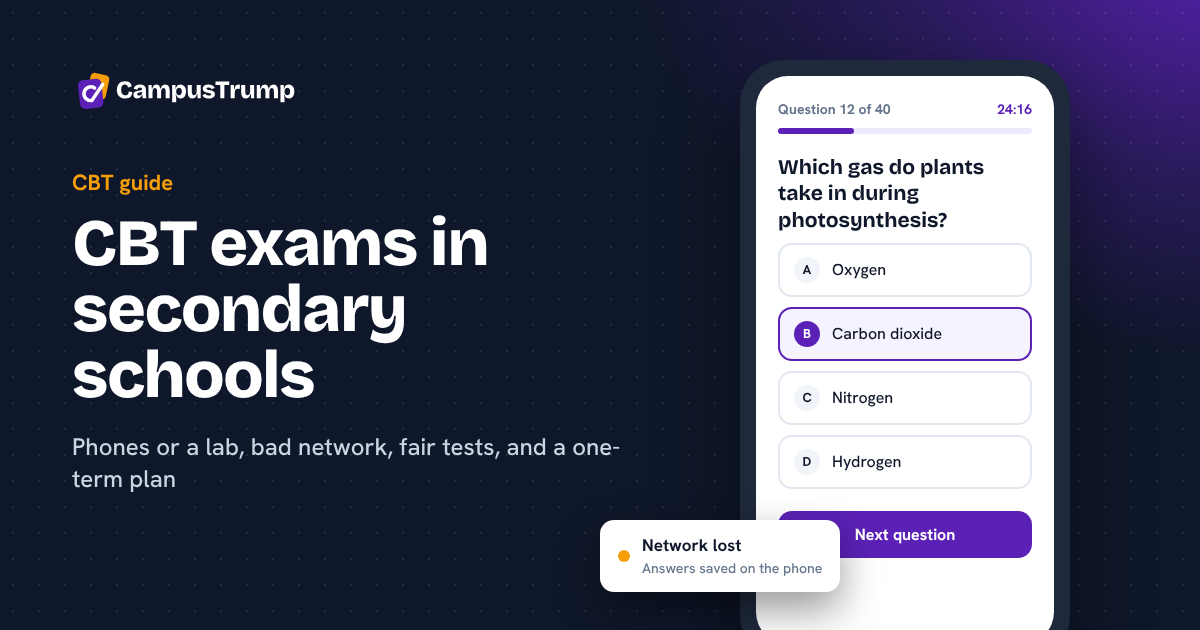
The biggest fear with CBT in Nigeria is the network dropping in the middle of a test. A poorly designed system loses answers or locks the student out. A well-designed one is built for it:
The whole question paper downloads when the test starts, so later questions don't need the network.
Every answer is saved on the device as the student works.
If the connection drops, the student keeps going. The answers send by themselves when the network comes back.
The timer is kept by the server, so turning off data or changing the phone's clock doesn't buy extra time.
Ask any CBT provider to show you this working: start a test, switch on airplane mode, answer a few questions, then reconnect.
Keeping CBT fair
Shuffle questions and options for each student, so neighbours never see the same order.
Set an exam window: when the test opens and closes, and how long each student has once they start.
Record when a student leaves the test screen. It won't stop every trick, but it tells teachers who to watch.
Use a question bank bigger than the test, so each sitting draws different questions over time.
Setting questions without retyping
Most teachers already have questions in Word. Look for a system where you can paste a numbered question paper and it becomes a test: options become multiple choice, a line like "Answer: B" marks the correct one, and short or written questions are recognised too. For mathematics and science, equation support matters.
For theory questions, CBT doesn't have to mean multiple choice only. Students can type written answers, and teachers mark them one after another with a marking guide beside them. The total still lands in the gradebook.
A one-term plan to start CBT
Weeks 1–2: prepare
Choose two or three subjects and one class to start.
Get students and parents signed in to the app, and check which students can use a phone.
Teachers paste last term's questions into practice quizzes.
Weeks 3–6: practise
Run a weekly ungraded quiz so students get used to the screen and the timer.
Test the network plan: try a quiz in the classroom with mobile data, and in the lab.
Weeks 7–10: count it
Run CA 2 as a CBT and let the scores flow into the gradebook.
Collect feedback from teachers and students.
Next term: grow
Add more subjects and classes, and consider the terminal exam for objective papers.
Preparing students for JAMB and other CBT exams
Because the UTME is computer-based, school CBT doubles as exam practice. Set timed practice tests in the same style: multiple choice, a fixed time, and no going back to paper. Let students see their score and the correct answers straight after a practice quiz so they learn from each attempt.
CBT that keeps working when the network doesn't
CampusTrump's CBT downloads the paper when the test starts, saves every answer on the phone and keeps going through network drops, with shuffled questions, a server-kept timer and automatic marking. Tests run in the app or in your computer lab's browser, and scores go straight into the gradebook. It's part of the CampusTrump LMS, so lessons and tests live side by side.