At the end of every term, many schools go through the same routine: print scratch cards, sell them to parents, and then answer calls from parents whose PIN doesn't work. Results are online, but getting to them still depends on a small piece of card.
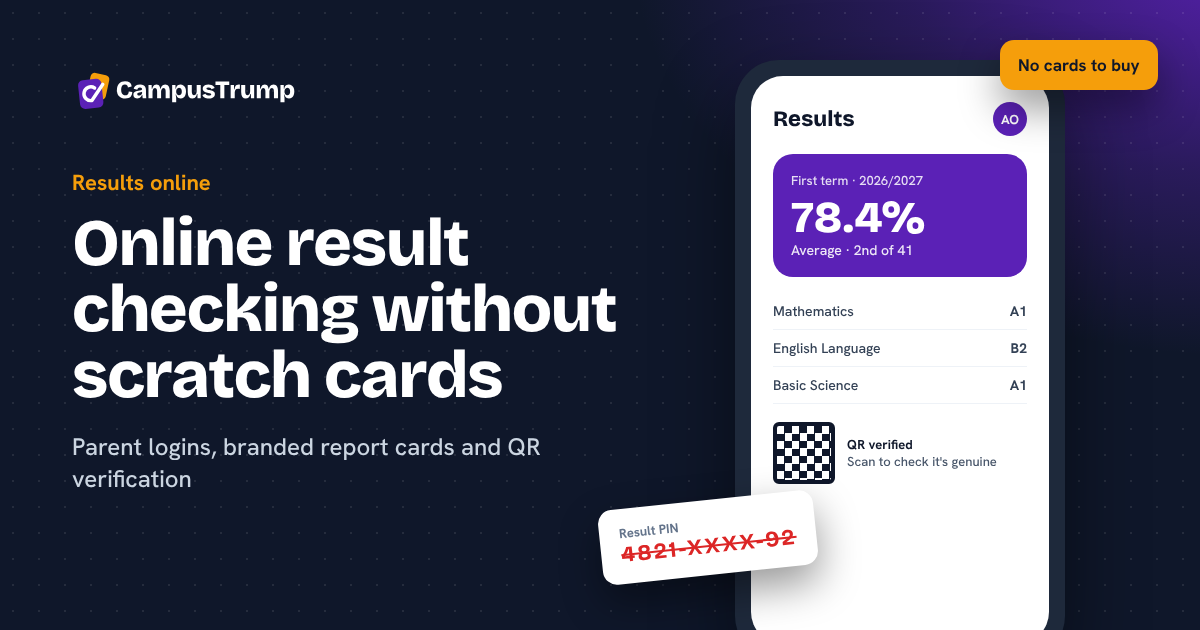
There is a simpler way. When each student and parent has their own login, results can go online the moment the school publishes them, with no cards to print, sell or lose. This article explains the problems with scratch cards and how to move to online result checking step by step.
What's wrong with scratch cards and result PINs
Parents pay extra every term on top of school fees, just to see a result they've already paid for through tuition.
PINs get shared or reused. A PIN that works for anyone who has it can let the wrong person see a child's result.
Cards get lost, and a lost card often means buying another one.
The school office carries the load: printing, counting, selling, tracking which PIN went to whom, and handling "my card says invalid".
Results can be faked. A printed result from a scratch-card portal is easy to edit with a phone app, and there's rarely a simple way for another school or an employer to check it.
How online result checking works without cards
Instead of a PIN per term, every student and parent gets a permanent account on the school's portal and app. When the school publishes a term's results, they appear in that account. Here's the flow on a modern system:
Teachers enter scores in an online gradebook. CA tests done as CBT fill in by themselves.
The system does the arithmetic: totals, grades, remarks, class positions and averages, using your school's grading scale.
The school decides when results go out. Subject teachers finalise, class teachers check, and the principal can approve before anything is published.
Parents get a notification on their phone and by email when a result is published.
They open the result with their own login and download a branded PDF report card.
Report cards anyone can verify
The strongest reason to move online isn't convenience; it's trust. Each report card can carry a QR code. Scanning it opens the original result on the school's own portal, so a secondary school admitting a new student, a university or an employer can confirm in seconds that the scores on paper match the school's records.
What about fees owed?
Some schools use scratch cards partly to make sure fees are paid before results are seen. You can keep that rule without cards: a good system lets you hold a student's result until the term's fees are cleared. The parent sees what is owed, pays (by transfer to the child's own account number, online, or at the bursary) and the result opens automatically once the payment is confirmed. See how this works in school fees collection.
Moving your school to online results: a step-by-step plan
1. Set up your classes, subjects and grading
Enter your classes and arms, subjects, and the way you score (for example CA 1, CA 2 and exam), plus your grade boundaries and remarks. A good system starts you with the usual Nigerian setup so you only change what's different.
2. Add students and link parents
Upload students from a spreadsheet. Parents can be linked to all their children so one account shows every child.
3. Run one term side by side
For the first term, let teachers enter scores online while you keep your old process as a backup. Compare the computed totals and positions with what you expect.
4. Tell parents early
Send a short letter or WhatsApp message before results come out: where to log in, how to reset a password, and that there's nothing to buy.
5. Publish, and keep a help desk for the first week
Most questions in the first term are "I forgot my password". Make sure the school office can resend sign-in details quickly.
Questions schools ask
What about parents without smartphones?
The result portal works in any phone or computer browser, and the school can still print the PDF report card for any parent who wants paper. The difference is that the printed copy now carries a QR code proving it's real.
Can students see each other's results?
No. Each account sees only its own results (and a parent sees only their own children).
Do old results stay available?
Yes. Past terms stay in the account, so a parent can download an old report card when a new school asks for it.
Try it with your school's own results
CampusTrump's online result checker gives every student and parent their own login on your school's portal and app, publishes branded, QR-verified report cards, and can hold results until fees are paid. It's part of a full school management system, so the same scores feed report cards with no copying.